How-To’s
Networking: Bringing IPv6 into your network using pfSense
by firestorm_v1 on Dec.01, 2011, under How-To's, Networking, Software
The Internet as we know it is undergoing a significant change. With the last IPv4 addresses being allocated out, the Internet has officially run out of address space. IPv6 is the next-generation IP addressing system that aims to resolve this issue however the changes proposed are drastically different than the current IP schema currently in place and for most is quite a daunting task to switch. In this post, we will cover some basic IPv6 information and some fundamental differences between v4 and v6 (aside from tons of IPs), and finally we will build out a pfSense firewall with IPv6 using pfSense and a free IPv6 tunnel provided by Hurricane Electric. Read more to get started on the cutting-edge of Internet infrastructure. (continue reading…)

Networking: Installing and configuring pfSense Embedded
by firestorm_v1 on Nov.11, 2011, under Embedded devices, How-To's, Networking, Security, Software

After publishing the last post on networking and the security series, I felt it was necessary to go ahead and publish a piece on building a custom router. I have been a fan of pfSense for the past four years and swear by it. It has the ease of use of a commercial GUI-driven router and unrivaled flexibility limited only by the hardware it is installed on. In this howto article, we will cover installing pfSense on an embedded platform and initial configuration for getting your router up and running.
Networking: Duplicating Drops in structured wiring
by firestorm_v1 on Jul.29, 2011, under Hardware, How-To's, Networking

Structured wiring in businesses and the enterprise are as expected as the sun shining and a regular paycheck, however in the home a structured wiring solution can be an unexpected gift from the Gods of Ethernet. While structured wiring in an apartment complex is usually done central to a utility closet or shelf, sometimes the central point isn’t always convenient for your router or you find yourself needing to run multiple networks. In this tutorial, I will show you how to turn one structured wiring drop into two drops for carrying two different network segments, something that can be of benefit should you ever need it. (continue reading…)
CVS Netbook Revisited
by firestorm_v1 on Jul.25, 2011, under Embedded devices, Hardware, How-To's, Linux, Software

A few months ago, I posted a hardware teardown of the CVS Sylvania Netbook pictured above. After working with it and performing a lot of research on it, I promised a follow up article, and here it is. To sum it all up, with a bit of modification to the software, a spare SD card and a lot of patience, you can actually turn this thing into a somewhat useful Linux device. There’s also some improvements and suggestions to be had for improving the Windows CE side of things should you decide to continue using it in its default state.
Building Snort and Nessus – Ubuntu IDS Part 3
by firestorm_v1 on May.20, 2011, under Hardware, How-To's, Linux, Security, Software
In this final article in the three part Ubuntu IDS series, we will go over installing, compiling and configuring Snort and Nessus on our new IDS device. We will use Snort to analyze traffic as seen by the IDS and we will use Nessus to perform vulnerability testing on the network. The process for installing Snort will also cover installing SnortReport provided by Symmetrix Technologies so we can translate Snort’s cryptic messages into a more readable format that we can take action on. Read on as we wrap up the installation and finish our IDS device.
Setting up bonding networking -Ubuntu IDS Part 2
by firestorm_v1 on May.04, 2011, under Hardware, How-To's, Linux, Security, Software
In an earlier article, I demonstrated how you can build a passive monitoring device for an Ethernet network as the first part to a three part project to build a home IDS device. In this article, the second in the series, I will describe how to set up the networking for an IDS using the passive tap that I built earlier.This setup will involve using a technique called bonding to take two physical interfaces and bond them together, creating a logical interface that we can use for Snort. This article will also explain where is the best location to place the tap and what you can expect to see once the networking is set up using common Linux utilities like tcpdump.
Build a Passive Ethernet Tap – Ubuntu IDS Part 1
by firestorm_v1 on Apr.06, 2011, under Hardware, How-To's, Linux, Security, Software
One of the things that the GCIA study has taught me is that being able to monitor the network your computer is on is a critical necessity to maintaining a secure network. Corporate environments can set up IDS devices to monitor traffic however monitoring doesn’t work unless you have proper connectivity to what you want to monitor. Unfortunately, most of us don’t have central wiring in our house and expensive managed switches that can set up span sessions with which to monitor traffic in transit. In this HOWTO, I will cover how to build your own monitoring connection that you can use on your own network to monitor traffic without breaking the bank. This article is first in a three part series on how to build your own home IDS for monitoring your network traffic. Look for the other two sections soon!
(continue reading…)
Installing Minecraft Server in Ubuntu Server
by firestorm_v1 on Jan.09, 2011, under How-To's, Linux, Software
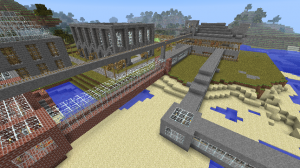
Ok, I’ll admit it. I’ve been caught by the Minecraft bug. It bit me hard and of course I learned rather quickly that there is a problem with using two laptops to play Minecraft on and that is that it’s a pain in the posterior to move your save games around. In this article, I will be covering how to install Minecraft Server on a new installation of Ubuntu 9.04LTS. These instructions will work for all current versions of Ubuntu, so if you’re using something newer or something older, these instructions should get you up and running in no time. (continue reading…)
GUIDemo – A full VGA Library for the Propeller
by firestorm_v1 on Nov.19, 2010, under Embedded devices, Hardware, How-To's, Microcontrollers
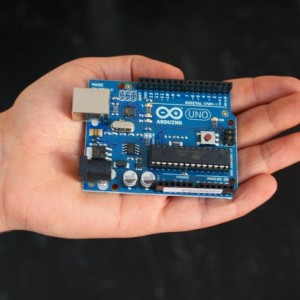
The Parallax VGA GUI Demo is great for adding a pre-built GUI for your projects. The bonus is that the drivers for using a PS/2 keyboard and mouse and a VGA display are pre-built and ready to run. With a little bit of configuration, you can add a well built UI to your application and make it easier to display output and receive input from the user.
In this article, I will demonstrate some of the basic options that are needed in order to get the GUI up and running. While our application is going to be turning on a few LEDs, once you have these basics down you should be able to use this article and build whatever user elements are required for your application. (continue reading…)
Dead Dockstar Resurrected with JTAG!
by firestorm_v1 on Sep.08, 2010, under Embedded devices, Hardware, How-To's, Linux
The reason I haven’t written any more about my fun with the Dockstar was that due to an unfortunate set of circumstances I was left with a bricked dockstar. (read: I did something stupid.) After performing a lot of research and thanks to a bunch of people over at the PlugApps.com Forum site who helped me, I was able to get it running. Read more for a complete list of what you will need including how to build an adapter and where to get the needed JTAG kit. (continue reading…)